Castle APK
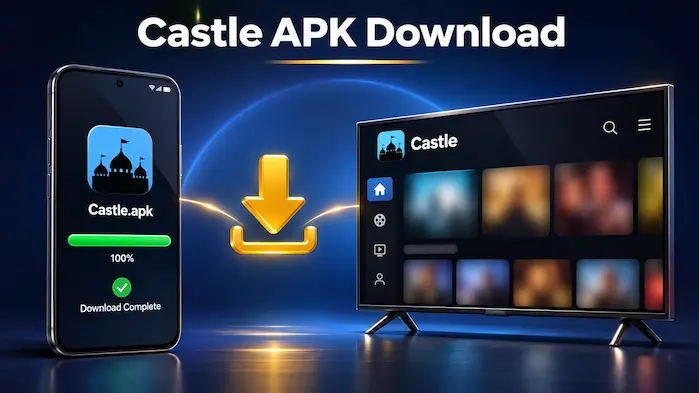
Castle APK Download gives you the newest build of the free movie and live TV app for Android. This page always holds the latest file for phones and a separate file for Android TV and Firestick. Every build listed here is the genuine release, with no edits, no added ads and no hidden trackers.
| File details | Phone APK | TV APK |
| App name | Castle | Castle TV |
| Version | Latest | Latest |
| File size | Shown on the download button | Shown on the download button |
| Android needed | 6.0 or above | Android TV 6.0 or above |
| Works on | Phones and tablets | Android TV, Google TV, Firestick |
| Price | Free | Free |
| Updates | Added here as soon as they release | Added here as soon as they release |
Castle APK Download (Latest Version)
Castle APK Download on this page always points to the newest release for Android phones and tablets. Each time the developers publish a new build, the file here is replaced, so you never land on an outdated copy. The APK is small and downloads in under a minute on a normal 4G connection. It runs on any phone with Android 6.0 or newer, including budget models with 2 GB of RAM. Tap the phone download button at the top of this page to get the file, then follow the install steps further down.
Castle TV APK Download
Castle TV APK is the big screen version, built for remote controls and large displays. It has larger menus, a simpler layout and smooth focus movement with the arrow keys. The file installs on Android TV, Google TV, Mi Box, Amazon Firestick and most Android TV boxes. Your account, watch list and Premium plan work the same way on both versions. Use the TV download button at the top of this page, or follow the Downloader method in the TV install section.
What Each Update Brings
Each new build focuses on speed, stability and small comfort upgrades. Typical updates fix broken links, speed up the home screen and improve playback on slower networks. Some add new features such as fresh content rows, better suggestions or new player controls, and the full feature list lives on our main Castle home page. Your saved list and downloads carry over every time you move to a newer build. That is why installing each release as it arrives gives you the smoothest experience.
System Requirements
Most Android devices made in the last eight years meet these requirements. Check them once before you download to avoid install errors.
| Requirement | Phone APK | TV APK |
| Operating system | Android 6.0 or newer | Android TV 6.0 or newer |
| RAM | 2 GB minimum, 3 GB or more for HD | 1 GB minimum |
| Free storage | 150 MB, plus space for downloads | 100 MB |
| Internet | 2 Mbps for SD, 5 Mbps for HD | 5 Mbps for HD |
| Root access | Not needed | Not needed |
How to Download Castle APK
The file comes straight from this page, so you do not need any third party store. Use Chrome or any browser you trust on your phone.
- Tap the phone download button at the top of this page.
- If Chrome shows a warning that the file might be harmful, tap “Download anyway”.
- Wait for the download to finish in your notification bar.
- Check that the file size in your Downloads folder matches the size shown on the download button.
A warning in step 2 appears for every APK that does not come from the Play Store. It does not mean the file is unsafe. The size check in step 4 is the quickest way to confirm you have the real file.
How to Install Castle APK on Android
Installing takes about a minute. Android needs your permission once, because the app does not come from the Play Store.
After the install, turn the “unknown apps” switch off again for your browser. On Samsung you will find it under Apps and Special access. Redmi and Poco phones keep it under Privacy protection, while Realme, Oppo, OnePlus and Vivo place it in the Security menu.
How to Install Castle TV APK on Android TV and Firestick
The easiest way to get the file onto a TV is a free app called Downloader. It lets you enter a link with your remote and install the file in one go.
Firestick owners follow the same steps after turning on “Apps from unknown sources” under Settings, My Fire TV and Developer options. You can also copy the APK to a USB drive, plug it into the TV and open it with any file manager.
How to Update the App
The app checks for new builds on its own and shows an “Update Now” prompt when one is ready. Tap it, let the new file download and confirm the install. If the prompt fails or never appears, download the latest file from this page and install it over your current version. There is no need to uninstall first, and your watch list, history and downloads stay in place. Keeping the app updated is the simplest way to avoid crashes, dead links and server errors.
Castle APK Old Versions
Older builds can help if the newest version does not run well on a very old phone or an outdated Android TV box. Still, the latest release always has the most fixes and the best stream support, so keep older builds for times when you need them. Before installing an older file, uninstall the newer one first, because Android blocks downgrades over an existing install. Your watch list will reset unless you are signed in, so log in first if you want to keep it. Once the issue on your device is solved, move back to the latest build from this page.
How to Check Your Download Is Genuine
Fake copies are the biggest risk with any APK, so take thirty seconds to check your file. The genuine file matches the size shown on the download button, and a file that is much larger or smaller is a red flag. After installing, open the Me tab and confirm the version matches the one listed on this page, not an odd number pushed by fake sites. The real app asks for internet, storage and notification access, and nothing more. Delete any copy that asks for SMS, contacts, call logs or accessibility permission.
Download and Install Problems
Most download and install errors have a simple cause. Find the message you see and follow the fix below it.
Download Stuck or Failing
A weak connection or a full phone is the usual reason. Switch to Wi-Fi, free up at least 150 MB of space and start the download again. If Chrome keeps stopping it, try another browser such as Firefox or Samsung Internet.
“There Was a Problem Parsing the Package”
This error means the file did not finish downloading or your Android version is too old. Delete the broken file and download it again on a stable connection. Then confirm your phone runs Android 6.0 or newer in Settings, About phone.
“App Not Installed” Error
An older copy on your phone often blocks the new install. Uninstall the old version first, then open the new file again. Make sure “Install unknown apps” is switched on for the browser or file manager you are using.
Play Protect Blocks the Install
Google Play Protect flags apps that do not come from the Play Store. Tap “More details” on the warning and then “Install anyway”. If you still feel unsure, check the file size and permissions as described above before you open the app.
TV Will Not Open the File
Some TV models hide downloaded files. Install a free file manager from the TV’s Play Store, open your Downloads folder and tap the APK from there. On Firestick, make sure Downloader has permission to install unknown apps.
FAQs
Final Words
Castle Apk file and the TV build on this page give you the complete experience on every screen in your home. Download the file that suits your device, follow the install steps and check the version once the app opens. Keep it updated through the in-app prompt, and come back here whenever you need a fresh copy or an older build.