
CASTLE APP
Movies, web series and live TV in one app
Castle APK Download for Android
Watch Bollywood, Hollywood, South Indian movies, web series and live cricket for free. No sign up needed.
Download Castle APK- Movies Bollywood to Hollywood
- Web Series Binge every season
- Live TV Cricket, news and more
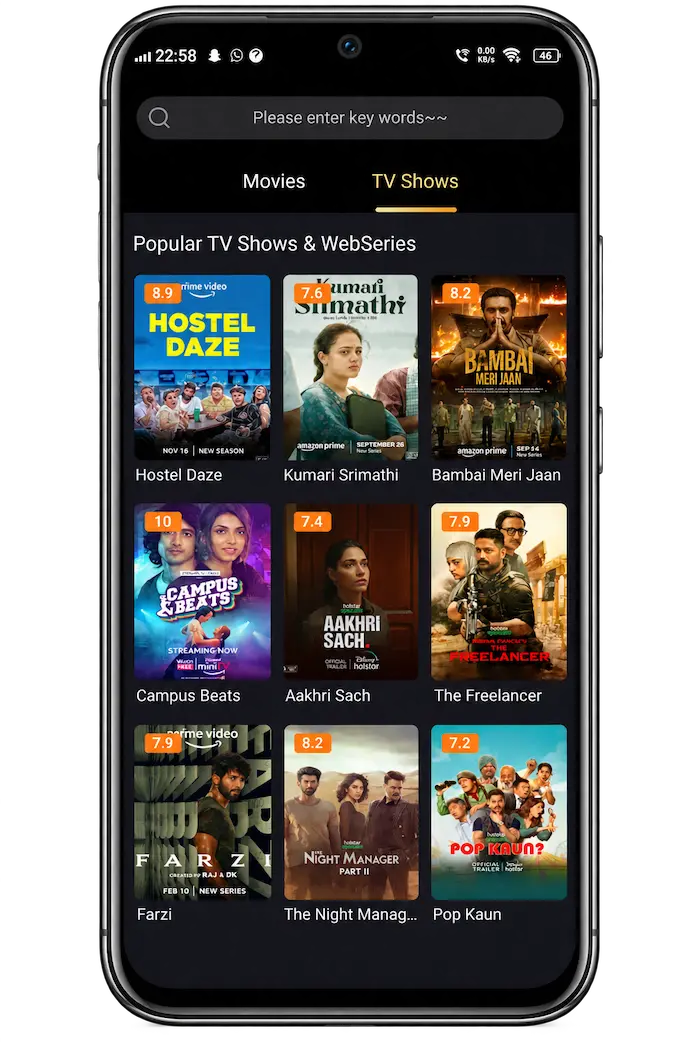
Castle is a free streaming app for Android that brings movies, web series, live TV and cricket into one place. Indian viewers use it to watch Bollywood, South Indian, Hollywood and Korean titles without a paid plan or a sign up form. The app runs on phones, Android TV, Firestick and even on a PC through an emulator. Since it is not on the Play Store, you install it through a small APK file. This page covers what the app offers, how to install it and how to keep your phone safe while you use it.
| App info | Details |
| App name | Castle |
| Type | Movie, web series and live TV streaming |
| Latest version | v2.1.3 |
| File size | 34.5 MB |
| Android needed | 6.0 or above |
| Content languages | Hindi, English, Tamil, Telugu, Malayalam, Kannada, Punjabi |
| Sign up | Not needed |
| Price | Free, with an optional Premium plan |
| TV version | Separate TV APK for Android TV and Firestick |
Castle App
Castle App is a free OTT style platform that lets you stream films, shows and live channels from a single screen. The home feed shows trending titles, new releases and rows sorted by language and genre. A Find tab helps you search by movie name, actor or category, while the TV tab holds news, sports and music channels. Downloads sit in their own tab, so offline viewing stays simple to manage. You can open it and press play right away, because there is no account, no phone number and no OTP to deal with.
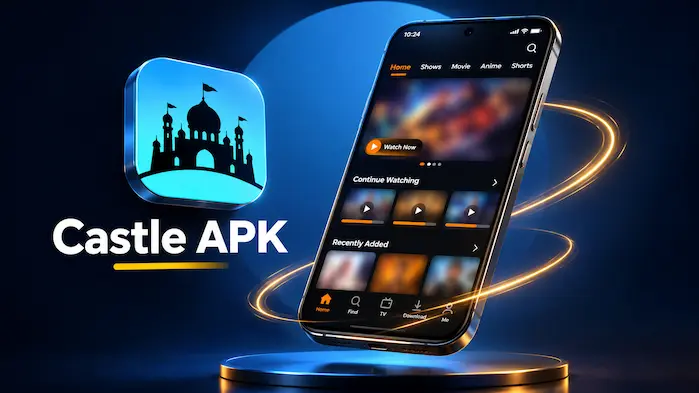
Castle APK
Castle APK is the Android install file for this streaming app, and it is the one way to get it on your phone. APK is the standard format every Android app uses, but most people never see it because the Play Store installs apps for them. The current build is v2.1.3, and the file weighs about 34.5 MB, which suits budget phones with low storage. A file that is much larger or much smaller than this is a warning sign of an edited copy. Get the file from our Castle APK Download page, check its size, and you will have the genuine app every time.
Castle App Download
Castle app download takes less than a minute on a normal 4G or Wi-Fi connection. Tap the download button in the banner at the top of this page, and the file saves to your phone’s Downloads folder. Android will then ask for permission to install apps from outside the Play Store, which is a normal step for any APK. Allow it once, tap Install, and the icon appears on your home screen a few seconds later. After that first install, new versions arrive through an update prompt inside the app.
Castle TV
Castle TV is the big screen version of the app, built for Android TV, Google TV and Amazon Firestick. It comes as a separate, lighter APK with larger menus that you move through using the arrow keys on your remote. Smart TVs from Mi, OnePlus, TCL, Sony and Hisense run it without trouble, and our Castle TV APK page covers setup on each one. You get the same movies, web series and live channels as the phone version, with a sharper picture on a larger display. Families use it in the living room for weekend films and cricket nights.
What Is Castle?
Castle App comes from a small independent developer team and focuses on entertainment for Android users. It first became popular across South Asia, and India is now its largest audience. The app does not store films on your device. When you tap a title, it connects to a working online stream and plays it inside its own player. If one source fails, it offers another so playback can continue. That design keeps the file small while the library stays huge.
The name often causes confusion in app stores. On the Play Store, an app with the same name is a game making platform and has nothing to do with movies. The streaming app covered here is shared as an APK file, so any store listing that uses the name is a different product.
Castle App Features
Castle App Download packs the tools of a paid OTT service into a free download. Each feature below is part of the standard build, with nothing locked behind a hidden fee. These are the tools that make it stand out from other free streaming apps.
No Sign Up Needed
You can start watching the moment Castle Apk opens. There is no email form, no phone number and no OTP step in the way. That also means no personal details are stored on a server just to use the free version.
Huge Movie Library
Castle Movies App catalogue holds new releases, recent hits and classics from the 80s and 90s. Films are sorted by language, genre and year, so browsing feels quick. Fresh titles land in the Latest row soon after release.
Web Series and TV Shows
Every series is arranged by season and episode. Indian web shows, American series and K-dramas all sit in one section. A small tag marks any episode you have not watched yet.
Live TV Channels
A dedicated TV tab works like a cable box in your pocket. News, music, movie and entertainment channels are grouped by language. Switching between them takes one tap, with no long loading screens.
Live Cricket and Sports
On match days, cricket streams move to the top of the sports row. Football, kabaddi and tennis also appear when events are live.
Hindi Dubbed Content
Many Hollywood, Korean and South Indian films carry a Hindi audio track. Viewers in the north can enjoy a Telugu action hit in their own language. You can switch the track from the player menu without restarting the film.
Regional Language Picks
Tamil, Telugu, Malayalam, Kannada, Punjabi, Bengali and Marathi titles each have their own rows. Setting a preferred language fills your home screen with it first.
Subtitles in Several Languages
Turn subtitles on or off from the player menu at any point. You can also change the text size for easier reading on small screens.
Video Quality from 144p to 1080p
Pick 144p or 360p on a weak signal and 1080p on Wi-Fi or 5G. Each title remembers the last quality you chose.
Data Saver Mode
A data setting caps quality on mobile data and switches back to HD on Wi-Fi. This keeps your data pack from running out before the month ends.
Offline Downloads
Save a movie or a few episodes to the Castle Downloads tab while you are on Wi-Fi. Watch them later on a train, a bus or anywhere the network drops. You choose the download quality, so a small phone does not fill up too fast.
Continue Watching
The player remembers the exact scene where you stopped. Open the title again and playback resumes from that point.
Watch List
Tap the plus icon to save a title for later. Your list stays in the Me tab, ready for the next movie night.
Skip Intro and Recap
Binge sessions move faster with one tap to skip opening credits. A second button jumps past the recap and straight into the story.
Smart Recommendations
Suggestions follow the languages and genres you watch most. A fan of Tamil thrillers sees more Tamil thrillers on the home feed. The picks get sharper the longer you use the app.
Fast Search
Results appear while you type a title, actor or genre. Searching for a star like Allu Arjun lists all of his films in one place. Filters for year and language narrow the list even further.
External Player Support
Streams can open in MX Player or VLC instead of the built-in player. That helps with gesture controls and audio sync on some phones.
Chromecast Casting
Send any video from your phone to a Smart TV on the same Wi-Fi. Tap the cast icon in the player and pick your screen.
Kids Section
Cartoons and family films live in a separate area away from adult content. Parents can also turn on basic content filters. It keeps young viewers busy on long trips without them wandering into other sections.
Separate TV Version
A lighter APK is built for remote controls and large screens. Menus are bigger, and focus moves with the arrow keys.
Light on Storage
The 34.5 MB file runs well on phones with 2 GB or 3 GB of RAM. It suits Redmi, Realme, Samsung Galaxy M and Vivo Y phones.
Regular Updates
Castle Latest Version fixes bugs, speeds up the home screen and adds new features. An in-app prompt tells you when a fresh version is ready. Your watch list and downloads stay in place after every update.
Castle Movies, Web Series and Live TV
Castle movies, shows and live channels sit together in one app, so you never need to switch platforms to find something to watch. The library mixes Indian cinema, global hits, binge series and round the clock TV. Every title page shows the language, quality options and audio tracks before you press play. New uploads appear in the Latest row, while older favourites stay one search away. Here is what each part of the library offers.
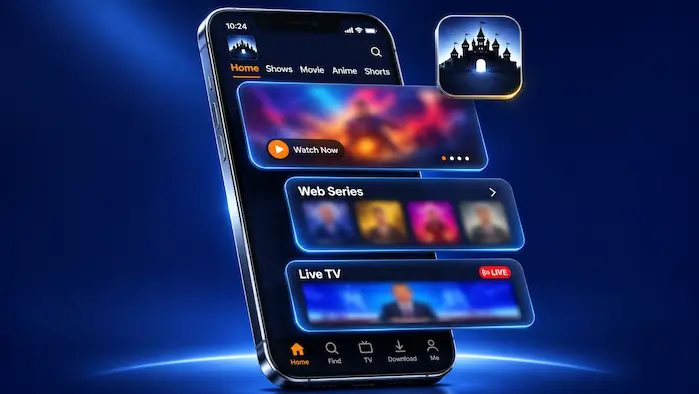
Movies
The movie section is the largest part of the app. It carries fresh theatrical releases, recent OTT hits and classics from past decades. Titles are grouped by language, genre and release year, which makes browsing simple even on a small screen. Most films offer several quality levels, so you can match the picture to your data plan. You can also save any movie to your watch list or download it for offline viewing.
Web Series
Binge watchers will find Indian originals, American dramas and Korean series arranged by season and episode. The player keeps your place in each episode, so you can stop on a busy night and pick up later from the same scene. Skip Intro and Skip Recap buttons make long sessions move faster. A small marker shows new episodes as soon as they arrive, so you never miss the next chapter of a running show.
TV Shows and Serials
Fans of Hindi serials and reality shows get a dedicated space for them. Episodes appear in order, with the newest at the top of each show page. You can follow family dramas, comedy shows and talent contests without waiting for a TV slot. This section suits viewers who missed a telecast and want to catch up on the go.
Live TV Channels
Castle TV tab turns your phone into a pocket cable box. Channels are sorted into news, entertainment, movies, music, devotional and kids groups, with filters for each language. Switching from one channel to another takes a single tap. A steady Wi-Fi connection gives the cleanest live picture, though 480p holds up well on 4G.
Live Cricket and Sports
Sports fans tend to open the app on match days more than any other time. Cricket streams move to the top of the sports row during big tournaments, followed by football, kabaddi, tennis and wrestling. Highlights and replays stay available after a match ends. For smooth live play on mobile data, lower the quality by one step before the first ball.
Documentaries
Curious viewers can explore nature, history, science, true crime and travel films. Many of these titles come with Hindi audio or English subtitles. Students use this section for school projects, and families watch it together on weekends.
Movies and Entertainment Categories on Castle
Castle Apk sorts its library into clear categories, so you can jump straight to the kind of content you enjoy. Some categories follow the film industry, while others follow the language or the genre. You can open any category from the home screen or filter it inside the Find tab. Below is a full look at each one.
Bollywood Movies
Hindi cinema is the heart of the library for Indian viewers. The Bollywood row carries new releases, blockbuster hits and evergreen titles from the 70s, 80s and 90s. You can browse by star, by year or by mood, from romantic dramas to big action films. Family movies and comedies have their own rows, which makes picking a film for a group easier.
Hollywood Movies
The Hollywood section brings superhero films, sci-fi epics, thrillers and animated features from the American studios. A large share of these titles carry Hindi dubbed audio along with English subtitles. That lets viewers who prefer Hindi enjoy the latest global releases without missing the story. Award winners and classic Hollywood films sit in separate rows for anyone who likes older cinema.
South Indian Movies
Telugu, Tamil, Malayalam and Kannada cinema each get their own category. Tollywood brings big action dramas, Kollywood offers thrillers and family stories, Mollywood is known for realistic storytelling, and Sandalwood adds strong regional hits. Most of these films come with a Hindi dubbed version, which has made South Indian cinema a favourite across North India. You can switch between the original track and the Hindi track from the player menu.
Hindi Dubbed Movies
Castle Hindi Movies collects foreign and regional films that come with a Hindi audio track. It covers Hollywood, South Indian, Korean, Chinese and Japanese titles in one place. Viewers who want a global film in their own language can start here instead of checking each title one by one. The row updates often as new dubbed versions become available.
Punjabi and Regional Cinema
Punjabi comedies, love stories and family dramas have a strong following, and they get a dedicated row. Bengali, Marathi and Gujarati films sit in their own regional groups as well. Setting your preferred language in the Me tab pushes these titles to the top of your home feed.
Korean Movies and K-Dramas
Korean content has grown fast among Indian viewers, and the app gives it a full category. You will find romantic K-dramas, crime thrillers, horror films and family stories. Many titles offer Hindi audio, and almost all have English subtitles. Popular series stay grouped by season, so a long drama is easy to follow.
Anime
The anime category covers action series, fantasy adventures and slice of life shows from Japan. Many of the popular titles are available in Hindi dubbing, which has made anime a hit with Indian teens. Series are organised by season, and films sit in a separate anime movies row.
Kids and Animation
Cartoons, animated films and shows made for the whole family are kept in a separate kids area. This keeps young viewers away from adult content while they browse. Parents can add basic content filters for extra peace of mind. The section works well on long car rides when the kids need something to watch offline.
Genre Categories
Apart from industry and language, every title is also tagged by genre. You can browse action, comedy, romance, horror, thriller, crime, sci-fi, fantasy, drama, mystery, war and biography collections. Combining a genre with a language filter narrows the results even further. A Hindi horror night or a Telugu action marathon takes just a few taps to set up.
How to Install Castle APK on Android
Castle Apk Installation takes about two minutes on any phone running Android 6.0 or newer. Make sure you have at least 150 MB of free space before you begin.
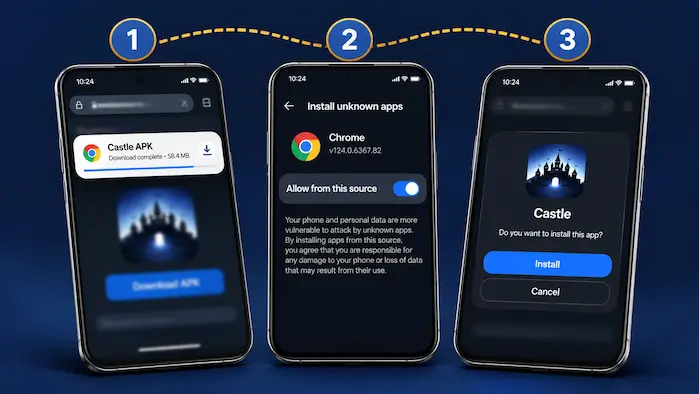
Once the install is done, turn the “unknown apps” switch off again for your browser. On Samsung it sits under Apps and Special access, on Redmi and Poco under Privacy protection, and on Realme, Oppo, OnePlus and Vivo inside the Security menu.
Install on Android TV and Firestick
The TV version installs through a free app called Downloader.
Firestick owners follow the same path after turning on “Apps from unknown sources” under Settings, My Fire TV and Developer options.
Install on PC or Laptop
There is no Windows or Mac version, but an Android emulator does the job.
Castle App Login
Castle App Login is optional, and you can watch everything in the free version without an account. Signing in helps when you buy Premium, sync your watch list between phone and TV, or move to a new phone. On a TV, the app shows a short code or QR code that you confirm from your phone, which saves you from typing with a remote. A genuine login screen never asks for a bank PIN, UPI PIN or card number, so close any screen that does.
Is Castle App Safe?
The original APK is safe to install when it comes from a trusted page, and the main risk is a fake copy posted under the same name. The genuine app asks for internet access, storage access for downloads and permission to send update alerts. It has no reason to read your SMS, contacts or call logs, so delete any version that requests them. Avoid MOD files and sellers on WhatsApp or Telegram offering “Premium keys”, since both are common sources of malware and scams. Keep in mind that not every title in the library is licensed by its studio, so a licensed platform remains the safest choice for brand new releases.
Castle App Not Working? Problems and Fixes
Most issues have simple causes and take a minute or two to solve. Find the problem that matches yours and follow the fix below it.
App Will Not Open or Keeps Crashing
An old build or a full cache is the usual reason. Go to Settings, then Apps, find the app and tap Storage, then Clear cache. If it still crashes, uninstall it and install v2.1.3 from this page. A quick phone restart afterwards clears any stuck memory as well.
“App Not Installed” Error
Castle App Not Installed message appears when an older copy is still on your phone or the download did not finish. Remove the old version first, then delete the broken file from your Downloads folder. Download the APK again on a stable Wi-Fi connection. Make sure “Install unknown apps” is switched on for the browser or file manager you are using.
Video Keeps Buffering
Buffering points to a slow or unstable connection. Open the player settings and drop the quality to 480p or 360p. Moving closer to your router or switching from mobile data to Wi-Fi also helps. On match days, traffic is heavy, so a lower quality keeps live cricket running smooth.
One Title Will Not Play
When a single movie fails while others work, that stream is down for the moment. Tap the source option inside the player and pick another server. If no other source is listed, try the same title again after a few hours. Links are refreshed on a regular basis, so most titles return the same day.
Black Screen With Sound
A black screen with audio is a player decoder issue. Open the player menu and switch between the HW and SW decoder. Turning off screen recorder or blue light filter apps can also fix it, since they sometimes block the video layer. As a last step, open the stream in MX Player or VLC instead.
Downloads Stop Halfway
Phones from Xiaomi, Realme and Vivo close background apps to save battery, and that can stop a download. Open Settings, then Apps, choose the app and set its battery option to “No restrictions”. Check that your phone has enough free space and that storage permission is allowed. Keep the screen on for large files if the problem continues.
“Server Error” Message
This error tends to show up when servers are busy or when you are on an outdated build. Update to the latest version first. If the message stays, wait ten to fifteen minutes and try again, since evening peak hours can slow things down.
Login Code Not Arriving
Codes sometimes land in the spam or promotions folder, so check there first. Wait a full minute before asking for a new one, because several requests in a row can delay delivery. Make sure you typed the same email or phone number you used when you signed up.
Castle Apk Alternatives
Castle Mod Apk covers most viewing needs, but a backup app helps when a stream is down or you want official coverage of a big event. These five alternatives are popular with Indian viewers. Two of them are free APK apps like this one, while three are licensed platforms on the Play Store.
PikaShow
PikaShow is a free Android app for movies, web series and live TV, shared as an APK file. Its library leans toward Indian content, with Bollywood, South Indian and regional films. The live TV section carries news and entertainment channels, along with cricket on match days. It suits viewers who want a layout close to this app with a stronger focus on Indian channels.
Vedu App
Vedu is a movie and web series app built around a simple, clean interface. It offers Hollywood, Bollywood and Hindi dubbed titles, plus offline downloads. The app has no live TV section, so it works best for viewers who stream on demand. Like Castle, it is installed through an APK file instead of the Play Store.
MX Player
MX Player is a licensed streaming app available on the Play Store. It offers free movies, web series and original shows supported by ads. Every title on the platform is licensed, which makes it a safe and legal choice. The library is smaller than free APK apps, but quality and stability are reliable.
JioHotstar
JioHotstar is the go-to licensed app for official cricket coverage in India. It streams live matches, Star TV shows, Hollywood films and Indian originals. Some content is free with ads, while the full library needs a paid plan. Fans who want the official broadcast of big tournaments tend to keep this app installed next to Castle.
ZEE5
ZEE5 is a licensed OTT platform known for ZEE TV serials, regional films and original web series. It supports many Indian languages, including Hindi, Tamil, Telugu, Marathi and Bengali. A free tier offers selected titles, while premium plans unlock the rest. It is a strong pick for viewers who follow ZEE channel shows.
FAQs
Final Words
Castle Apk brings movies, web series, live TV and cricket together in one small, free app built for Indian viewers. It runs on budget phones, saves data with flexible quality settings and moves to the big screen through its TV version. Install the genuine v2.1.3 file from this page, keep it updated, and you will have a dependable entertainment app on every screen in your home.