Castle Movies

Castle Movies is the film library inside this free streaming app, built around what Indian viewers love to watch. It covers Bollywood, Hollywood, Tollywood, Kollywood, Mollywood, Korean cinema and anime in one place.
Many foreign and South Indian titles come with Hindi audio, and most have subtitles in several languages. You can stream in quality from 144p to 1080p or save films for offline viewing. This guide explains every movie category, how to find a film, how to switch audio and how to fix common playback problems.
| Movie library info | Details |
| Film industries | Bollywood, Hollywood, South Indian, Korean, Punjabi, regional |
| Audio languages | Hindi, English, Tamil, Telugu, Malayalam, Kannada and more |
| Hindi dubbed films | Available on many foreign and South Indian titles |
| Subtitles | Several languages on most titles |
| Video quality | 144p to 1080p |
| Offline downloads | Available on the phone app |
| Price | Free, with an optional Premium plan |
Why People Use It as a Movie App
The Castle movie app puts films first, with series and live TV as extras. New releases appear in a Latest row soon after they land, while older classics stay one search away. Every title page shows the language, available audio tracks and quality options before you press play. You can save any film to your watch list, download it for a train ride or resume it later from the same scene. That mix of choice, language support and offline viewing is why so many Indian viewers turn to Castle movies every week.
Movie Categories in the Library
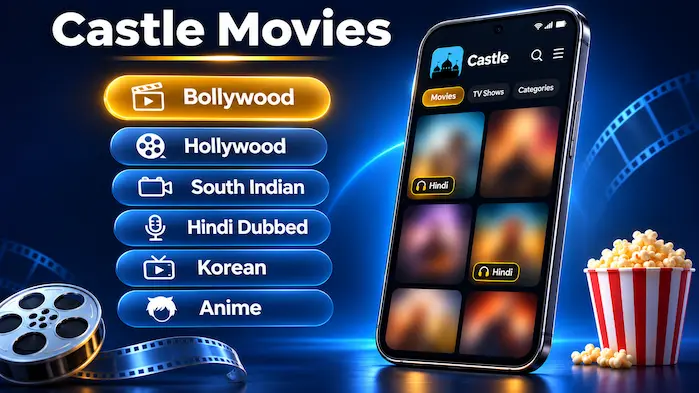
The library is split into clear categories, so you can go straight to the kind of cinema you enjoy. Here is what each one holds.
Bollywood Movies
Bollywood is the largest section for Indian viewers. Castle movies in this row include new Hindi releases, recent hits and evergreen titles from the 70s, 80s and 90s. Romance, action, comedy, thriller and family drama each have their own sub-rows. You can also browse by star or release year when you know what you want. Family films sit in a separate row, which makes picking a movie for a group easier.
Hollywood Movies
The Hollywood section brings superhero films, science fiction, thrillers, horror and animated features from the American studios. A large share of these Castle movies carry a Hindi audio track along with English subtitles. That lets viewers who prefer Hindi follow every twist without reading. Award winners and older Hollywood classics have their own rows for fans of past decades.
South Indian Movies
Telugu, Tamil, Malayalam and Kannada cinema each get a dedicated category. Tollywood is known for big action dramas, Kollywood for gripping thrillers and family stories, Mollywood for realistic storytelling and Sandalwood for strong regional hits. Most of these films have a Hindi dubbed version, which has made South cinema a favourite across North India. The Castle movie player lets you switch between the original track and the Hindi track at any point.
Hindi Dubbed Movies
This Castle movies category collects every film that comes with a Hindi audio track, whatever its original language. It covers Hollywood, Telugu, Tamil, Korean, Chinese and Japanese titles in one row. Viewers who always want Hindi can start here instead of checking each title one by one. The row updates as new dubbed versions arrive.
Korean Movies
Korean cinema has a strong following in India, and the app gives it a full category. The Korean Castle movies include crime thrillers, romantic dramas, horror films and action stories. Many titles come with Hindi audio, and almost all have English subtitles. K-drama fans will find the series versions in the web series section.
Punjabi and Regional Movies
Punjabi comedies, love stories and family dramas have their own row. Bengali, Marathi and Gujarati films are grouped by language as well. Setting your preferred language in the Me tab moves these Castle movies to the top of your home feed.
Anime Movies
Anime films sit in their own Castle movies row, apart from anime series. You will find action, fantasy and coming of age stories from Japan. Many popular titles are available in Hindi dubbing, which makes them easy for younger viewers to enjoy.
Kids and Animated Movies
Cartoons and animated Castle movies for families are kept in a separate kids area. This keeps young viewers away from adult content while they browse. Parents can also turn on basic content filters in the settings.
Browse Movies by Genre
Apart from industry and language, every film is tagged by genre. You can open collections for action, comedy, romance, horror, thriller, crime, science fiction, fantasy, drama, mystery, war and biography. Combine a genre with a language filter, and a Telugu thriller night or a Hindi comedy marathon takes just a few taps. Filters for Castle movies also let you sort by newest, most popular or highest rated. This makes it easy to find something good even when you have no title in mind.
How to Find and Play a Movie
Finding a film takes a few seconds once the app is on your phone. If you have not installed it yet, get the genuine file from our Castle APK Download page first.
You can also browse the home screen rows if you want ideas. Tap the plus icon on any poster to save it to your watch list for later.
How to Watch Movies in Hindi
Many Castle movies offer more than one audio track. Switching to Hindi takes a few taps and does not restart the film.
If Hindi is missing from the list, that title has no dubbed version yet. Check the Hindi Dubbed row for Castle movies that do.
How to Download Movies for Offline Viewing
Offline downloads are one of the most useful Castle movie app features. They let you watch during travel, in areas with weak network or when your data pack runs low.
Downloaded Castle movies stay on your phone until you delete them. Remove films you have finished to keep storage free.
Video Quality and Data Use
Picking the right quality saves data and stops buffering. The figures below are rough estimates for one hour of viewing.
| Quality | Best for | Data per hour (approx.) |
| 144p to 360p | Weak signal, low data packs | 150 MB to 300 MB |
| 480p | Normal 4G on a phone | 500 MB to 700 MB |
| 720p | Fast 4G, tablets | 1 GB |
| 1080p | Wi-Fi, 5G, TVs | 1.5 GB or more |
When you stream Castle movies on mobile data, the data saver setting caps quality and switches back to HD on Wi-Fi. Turn it on if you watch a lot on the go.
Watching Movies on a TV
Films look best on a big screen, and the TV version of the app is built for that. It shows the same library with larger posters and menus you can move through with a remote. You can also cast from your phone to a TV on the same Wi-Fi network. For setup on each TV brand and Firestick, see our Castle TV APK for Android TV, Smart TV and Firestick guide. A wired internet connection gives the most stable picture for full HD films.
Movie Problems and Fixes
Most playback issues with Castle movies have a simple cause. Find the problem that matches yours and follow the fix below it.
Movie Will Not Play
When one Castle movie fails while others work, that stream is down for the moment. Open the source option in the player and pick another server. If no other source is listed, try the same film again after a few hours.
Video Keeps Buffering
Buffering points to a slow or unstable connection. Drop the quality to 480p or switch from mobile data to Wi-Fi. Turning on the data saver setting can also keep playback steady.
Hindi Audio Not Available
Not every Castle movie has a Hindi dubbed version. Check the audio menu in the player, and if Hindi is missing, look in the Hindi Dubbed row for titles that include it. New dubbed versions are added over time.
Subtitles Out of Sync
Open the subtitle menu and try a different subtitle file if more than one is listed. Some players also offer a delay setting to move the text forward or back. Restarting the film often fixes small timing issues.
Download Stuck or Failed
Before saving Castle movies, check that your phone has enough free space and a stable connection. Turn off battery saver while a large file is saving. On Xiaomi, Realme and Vivo phones, set the app’s battery option to “No restrictions”.
Black Screen With Sound
Switch the player decoder between hardware and software in the player settings. If that does not help, open the film in MX Player or VLC from the player menu.
FAQs
Are Castle movies free to watch?
Yes. Every film in the free library plays without a subscription, and an optional Premium plan removes ads and adds more full HD titles.
Does the Castle movie app have new releases?
New titles land in the Latest row soon after they become available. Check that row often for fresh additions.
Can I watch Castle movies in Hindi?
Yes, on titles with a Hindi audio track. Open the audio menu in the player and choose Hindi.
Can I download a movie to watch offline?
Yes. Tap the download icon on the movie page, choose a quality and watch it later from the Download tab.
Which movie categories are available?
Bollywood, Hollywood, South Indian, Hindi dubbed, Korean, Punjabi, regional, anime and kids films, plus genre collections.
Why does my movie keep buffering?
A slow connection is the usual cause. Lower the quality to 480p or switch to Wi-Fi.
Final Words
Castle movies bring Bollywood, Hollywood, South Indian, Korean and anime films together in one free app, with Hindi audio, subtitles and offline downloads. Browse by category or genre, switch the audio to your language and pick a quality that suits your connection. Keep the app updated, and new releases will keep landing in your Latest row. To see everything else the app offers, from live TV to cricket, visit our Castle App for Android guide.